Monday, March 2, 2026

D365 Customization vs Configuration

The Growing Demand for Microsoft Dynamics 365 Services
Microsoft Dynamics 365 Services

Dynamics 365 Services
D365 Services
 

Across industries, organizations are accelerating their investments in Microsoft Dynamics 365 services to modernize operations, unify customer data, and gain real-time financial visibility. From sales automation in Dynamics 365 CRM to enterprise-level management in D365 Finance and D365 SCM, companies are relying on the platform to drive digital transformation.


However, as adoption increases, one strategic question continues to surface:

Should businesses choose customization or configuration when implementing Dynamics 365?

Understanding the difference between D365 Customization vs Configuration is no longer optional—it directly impacts scalability, cost, system performance, and long-term flexibility.

Key Dynamics Solutions explores the latest industry perspective on this critical decision.

What is Configuration in Dynamics 365 (D365)?
Configuration in Dynamics 365
Dynamics 365
D365

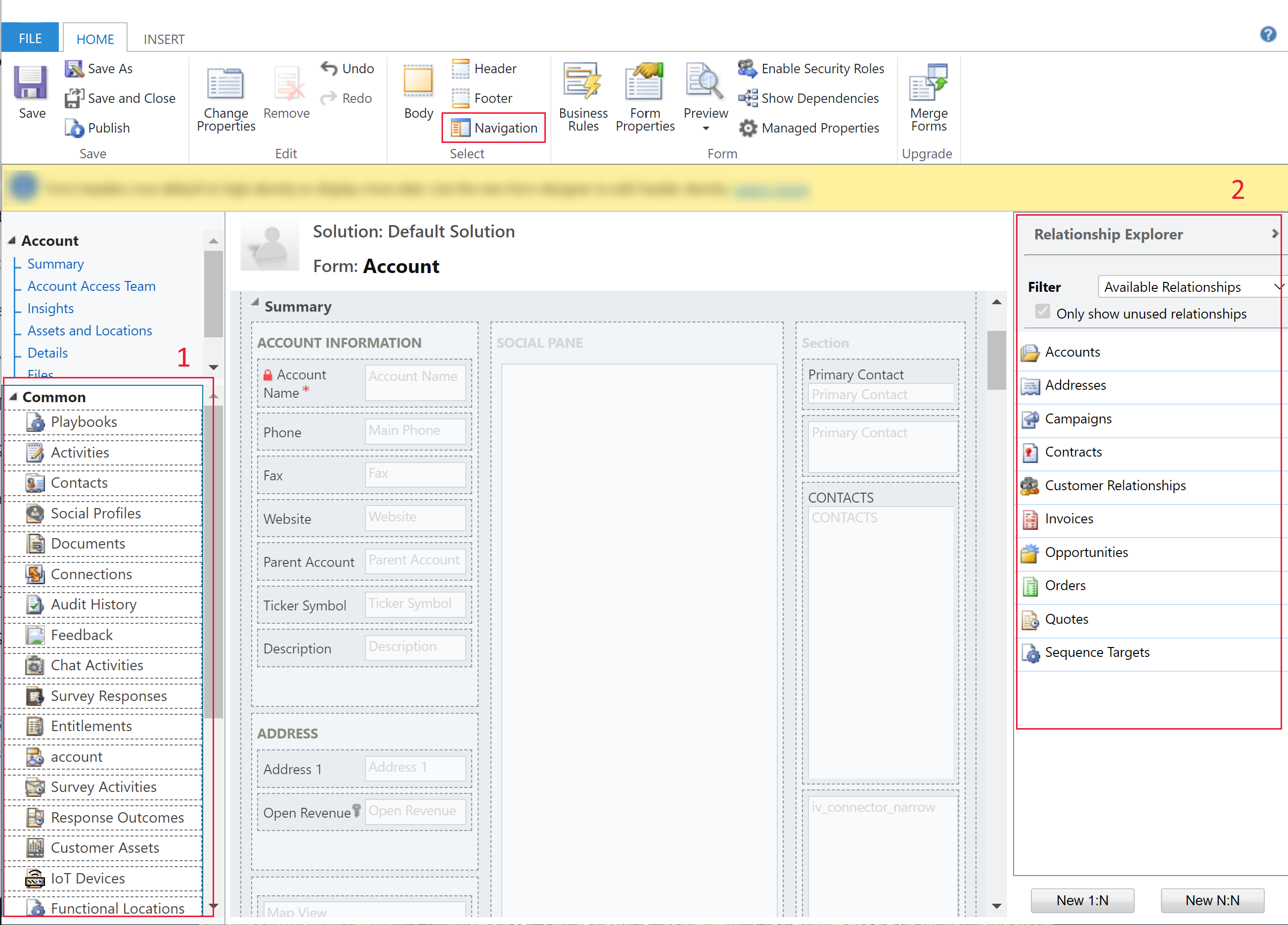
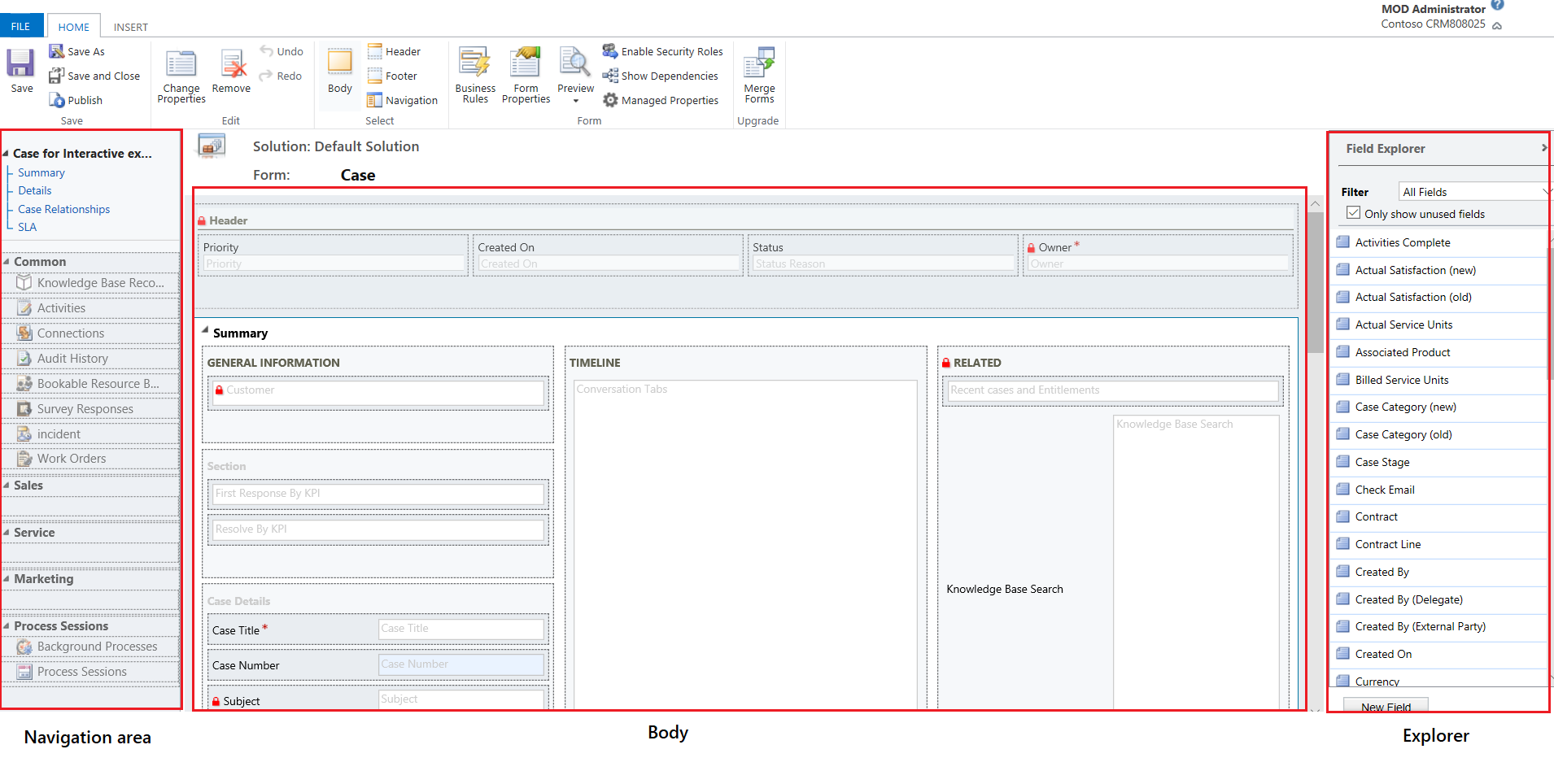
Configuration in Dynamics 365 (D365) refers to tailoring the platform using built-in tools—without writing complex custom code. It involves adjusting settings, modifying forms, creating workflows, adding fields, and setting security roles within the system’s standard framework.

Typical configuration activities include:

  • Adding custom fields to CRM forms

  • Creating business process flows

  • Setting up approval workflows in D365 Finance

  • Configuring modules inside D365 SCM

  • Adjusting dashboards and reports

Configuration is generally:

  • Faster to deploy

  • Cost-effective

  • Upgrade-friendly

  • Easier to maintain

Organizations leveraging Microsoft Dynamics 365 services increasingly prefer configuration-first strategies because Microsoft continuously updates the platform. Systems that rely heavily on configuration adapt more smoothly to new releases.

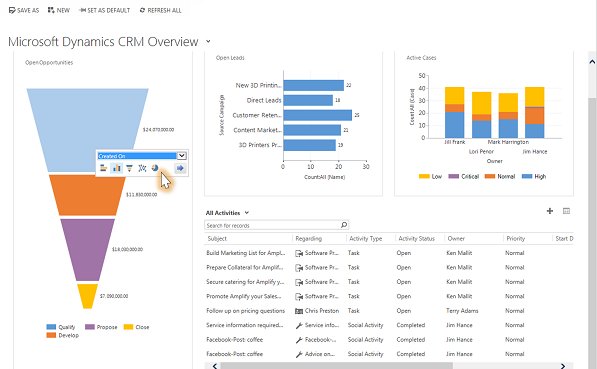
For many businesses using Dynamics 365 CRM, configuration alone can support sales automation, lead tracking, and customer service enhancements without heavy development.

What is Customization in D365?
Customization in D365
KDS D365
 

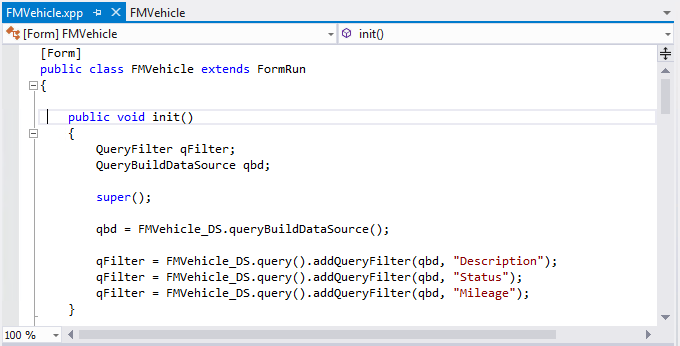
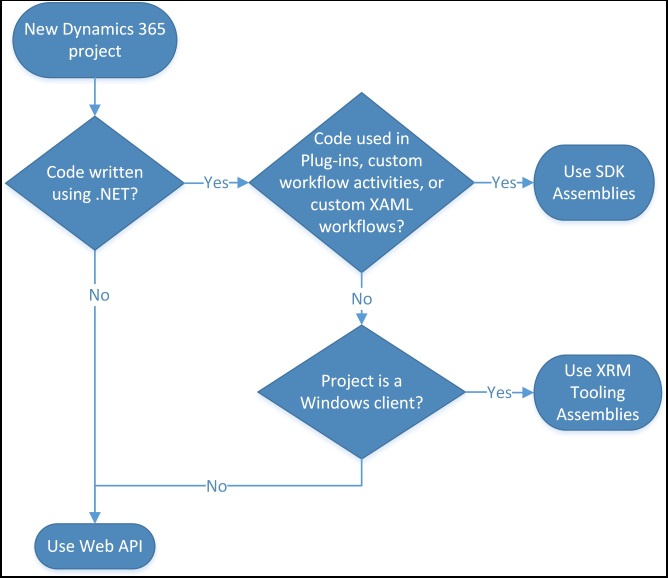
Customization, on the other hand, involves altering the platform beyond its out-of-the-box capabilities. This may include:

  • Writing plugins and extensions

  • Developing custom integrations

  • Creating unique business logic

  • Modifying standard workflows with code

  • Building industry-specific modules

Customization becomes essential when:

  • Business processes are highly unique

  • Industry compliance requires tailored workflows

  • Advanced automation is necessary

  • Integration with legacy systems is complex

In enterprise deployments of D365 Finance and D365 SCM, customization is sometimes unavoidable, especially for manufacturing, logistics, or regulated sectors.

However, excessive customization can lead to:

  • Higher implementation costs

  • Longer deployment timelines

  • Upgrade complications

  • Increased maintenance efforts

The latest best practice emerging in Microsoft Dynamics 365 services is a balanced approach: configure wherever possible, customize only when truly required.

D365 Customization vs Configuration: Strategic Comparison

D365 Customization vs Configuration

D365 Customization
 

When comparing D365 Customization vs Configuration, decision-makers should consider the following:

1. Cost Impact

Configuration typically reduces upfront and long-term costs. Customization increases development and testing expenses.

2. Upgrade Readiness

Configuration aligns with Microsoft’s update cycle. Customization may require rework during major version updates.

3. Scalability

Configured systems scale more easily across departments. Customizations may require redesign as operations grow.

4. Performance

Over-customized environments may experience performance bottlenecks, particularly in large D365 SCM implementations.

5. Business Flexibility

Customization allows deeper alignment with unique processes—but may limit agility if changes are frequent.

Industry experts now recommend a “configuration-first, customization-second” framework. This ensures that businesses leverage the powerful native capabilities of Dynamics 365 CRMD365 Finance, and D365 SCM before investing in heavy development.

How This Impacts Finance and Supply Chain Teams?

Finance and Supply Chain
SCM
D365 SCM
 

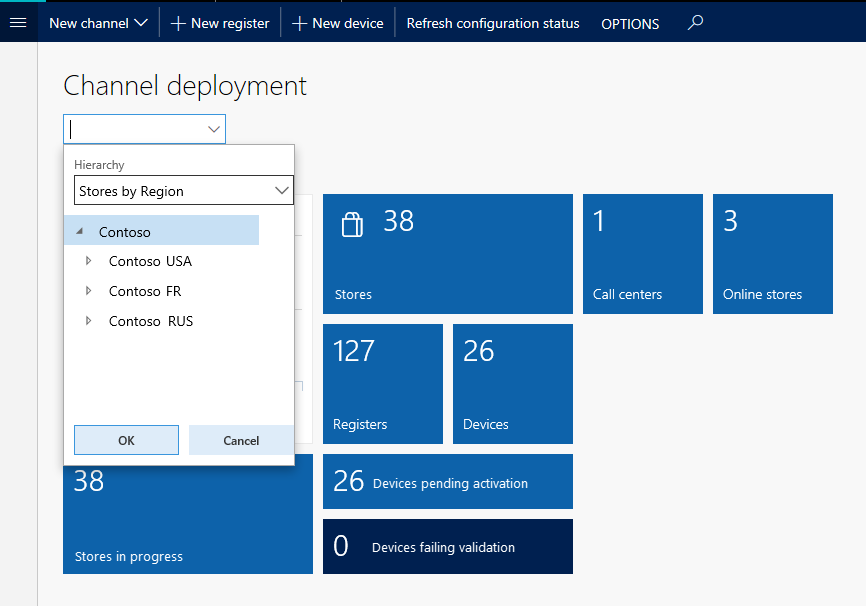
In financial operations, configuring D365 Finance enables automated reporting, budgeting workflows, and compliance tracking without altering the core architecture.

Within supply chain environments, D365 SCM supports:

  • Inventory optimization

  • Demand forecasting

  • Warehouse automation

  • Vendor collaboration

Many of these capabilities can be enabled through configuration rather than customization.

The trend among organizations working with experienced Microsoft Dynamics 365 services providers is to reduce technical debt by minimizing custom code and relying on standardized modules wherever possible.

Key Dynamics Solutions emphasizes structured requirement analysis before recommending customization. This prevents unnecessary complexity and ensures long-term ROI.

The Latest Industry Shift: Low-Code and Intelligent Configuration

A notable trend reshaping D365 Customization vs Configuration is the rise of low-code platforms. Tools within the Power Platform ecosystem now allow advanced automation and application development without deep programming.

Businesses using Dynamics 365 CRM can:

  • Automate processes using Power Automate

  • Build lightweight apps with Power Apps

  • Create real-time dashboards using Power BI

These tools blur the line between configuration and customization, offering powerful flexibility while remaining upgrade-safe.

As Microsoft expands AI-driven features across D365 Finance and D365 SCM, organizations are encouraged to explore native functionality before extending the platform.

Conclusion

The debate around D365 Customization vs Configuration is not about choosing one over the other—it’s about selecting the right balance.

Configuration in Dynamics 365 (D365) provides agility, cost efficiency, and smoother upgrades. Customization offers depth, precision, and tailored innovation when business demands exceed standard capabilities.

Companies that strategically evaluate their operational needs—especially in Dynamics 365 CRMD365 Finance, and D365 SCM—are better positioned to maximize value from Microsoft Dynamics 365 services.

Key Dynamics Solutions continues to guide enterprises toward sustainable, scalable implementations that support long-term growth without unnecessary technical risk.

FAQs

1. What is the main difference between D365 customization and configuration?

Configuration uses built-in tools without coding, while customization involves developing custom code or extensions to modify system behavior.

2. Is configuration enough for most businesses?

For many organizations using Dynamics 365 CRM, D365 Finance, or D365 SCM, configuration is sufficient. Customization is needed only when processes are highly specialized.

3. Does customization affect system upgrades?

Yes. Custom code may require testing and adjustments during Microsoft updates, while configuration typically aligns smoothly with upgrades.

4. Which is more cost-effective: customization or configuration?

Configuration is generally more affordable and easier to maintain over time compared to customization.

5. How do I decide the right approach for my business?

A structured requirement assessment by experienced Microsoft Dynamics 365 services experts—such as Key Dynamics Solutions—helps determine the ideal balance between customization and configuration.

Please book a meeting with us from the link given in my profile's bio. Or contact at: +91 9217719348.Looking forward to hearing back from you.

Meet Agent 3 for Modern D365

 Introduction

Key Dynamics Solutions has officially introduced Agent 3, a new AI Agentic innovation designed to redefine how enterprises approach development within D365 Finance and D365 SCM environments. As organizations increasingly rely on Microsoft Dynamics 365 to manage finance, operations, and supply chains, the demand for faster customization, smarter automation, and scalable architecture continues to grow. Agent 3 answers that demand with intelligence-driven execution built for modern business complexity.

Agent 3 is not just another automation add-on. It represents a shift toward AI Agentic frameworks that operate with contextual awareness, adaptive workflows, and decision-support intelligence. Designed specifically for Dynamics 365 finance and supply chain ecosystems, the solution enhances productivity across finance teams, operations leaders, and IT departments responsible for system optimization.


Transforming D365 Finance with Intelligent Automation

Finance departments working with D365 Finance often struggle with manual reconciliations, repetitive reporting cycles, and delayed decision-making. Agent 3 integrates directly within existing modules to streamline core financial operations. From ledger automation to predictive budget forecasting, the platform leverages AI Agentic models to reduce dependency on manual processes while increasing data accuracy.

By combining machine learning logic with native Microsoft Dynamics 365 architecture, Agent 3 enables proactive financial insights. Instead of reacting to discrepancies after month-end close, teams gain real-time alerts and guided workflows that minimize risk exposure.

Optimizing D365 SCM for Smarter Supply Chains

Supply chains today demand agility and visibility. Agent 3 supports D365 SCM by introducing intelligent inventory forecasting, vendor performance analytics, and automated procurement workflows. Through advanced data modeling, the system identifies potential disruptions before they impact operations.

Organizations using Dynamics 365 finance alongside D365 SCM benefit from unified intelligence across departments. Financial planning aligns seamlessly with operational forecasting, creating a synchronized ecosystem where decision-making becomes faster and more accurate.

Built for Modern Dynamics 365 Development Services

One of the standout features of Agent 3 is its support for scalable dynamics 365 development services. Rather than replacing existing development processes, Agent 3 enhances them. Developers can use AI-powered recommendations to optimize customizations, test integrations, and deploy enhancements more efficiently.

The AI Agentic design structure adapts to each organization’s configuration of Microsoft Dynamics 365. This flexibility ensures that whether businesses operate in manufacturing, retail, or professional services, the platform aligns with industry-specific needs.

Security, Compliance, and Performance

Security remains central to enterprise adoption. Agent 3 is engineered with compliance-first architecture, ensuring alignment with global financial regulations and corporate governance standards. Embedded monitoring tools help maintain system integrity without disrupting ongoing operations.

Performance testing indicates measurable reductions in manual workload, improved reporting timelines, and enhanced data consistency across D365 Finance and D365 SCM implementations.

Industry Response and Market Impact

Early adopters report improved cross-functional collaboration and shorter development cycles. As digital transformation accelerates, businesses are increasingly seeking intelligent solutions that go beyond basic automation. Agent 3 positions Key Dynamics Solutions as a forward-thinking partner in AI-powered enterprise transformation.

With its AI Agentic foundation and deep integration into Microsoft Dynamics 365 ecosystems, Agent 3 is expected to influence how organizations approach system upgrades, workflow automation, and long-term scalability strategies.

Frequently Asked Questions

1. What is Agent 3?
Agent 3 is an AI Agentic solution developed by Key Dynamics Solutions to enhance D365 Finance and D365 SCM through intelligent automation and predictive analytics.

2. How does Agent 3 support D365 Finance?
It automates financial processes such as reconciliations, reporting, and forecasting while providing real-time insights within Dynamics 365 finance environments.

3. Can Agent 3 integrate with existing Microsoft Dynamics 365 systems?
Yes, it is designed to integrate seamlessly with current Microsoft Dynamics 365 configurations without major system overhauls.

4. Does Agent 3 replace traditional dynamics 365 development services?
No, it enhances development services by providing AI-driven insights, faster customization, and improved deployment efficiency.

5. Is Agent 3 suitable for supply chain operations?
Absolutely. It strengthens D365 SCM with predictive inventory planning, procurement automation, and operational analytics.

Please book a meeting with us from the link given in my profile's bio. Or contact at: +91 9217719348.Looking forward to hearing back from you.

Thursday, July 31, 2025

dynamics 365 supply chain management

How Modern ERP Transforms Supply Chain Operations

In today’s fast-paced, customer-driven world, efficient and responsive supply chain operations are vital for business success. Companies are increasingly turning to modern Enterprise Resource Planning (ERP) solutions to streamline, automate, and optimize their supply chains. These platforms offer a comprehensive suite of tools that enhance visibility, improve decision-making, and drive operational efficiency across procurement, manufacturing, inventory, logistics, and distribution functions.

This blog explores how modern ERP systems transform supply chain operations, helping organizations meet changing market demands and improve overall business performance.

1. End-to-End Visibility

One of the greatest challenges in supply chain management & microsoft dynamics 365 marketing is the lack of real-time visibility. Traditional systems often rely on siloed data, making it difficult for stakeholders to get a unified view of operations. Modern ERP systems solve this by integrating all supply chain processes into a single platform, enabling real-time data sharing across departments such as procurement, warehousing, finance, and sales.

With a unified dashboard, organizations can monitor inventory levels, track shipments, analyze demand, and identify bottlenecks as they occur. This end-to-end visibility empowers decision-makers with accurate, timely information, enhancing their ability to respond quickly to disruptions or opportunities.

2. Predictive Demand Planning

Accurate demand forecasting is crucial for efficient inventory and production planning. ERP systems equipped with artificial intelligence (AI) and machine learning (ML) capabilities can analyze historical sales data, seasonal trends, and external market signals to generate more precise demand forecasts.

This predictive planning reduces the risk of stockouts or overstocking, improves customer satisfaction, and optimizes working capital. It also allows supply chain managers to proactively adjust procurement and production schedules based on anticipated demand, making operations more agile and resilient.

3. Automated Procurement and Vendor Management

Manual procurement processes can be time-consuming and error-prone. Modern ERP solutions automate sourcing, purchasing, and vendor management workflows, ensuring consistency and accuracy.

By setting up automated purchase requisitions, approvals, and reordering thresholds, businesses can reduce procurement cycle times and maintain optimal inventory levels. In addition, centralized vendor information helps organizations evaluate supplier performance, manage compliance, and negotiate better contracts.

Automated procurement not only enhances efficiency but also supports better strategic sourcing and cost control.

4. Optimized Inventory and Warehouse Management

Inventory management is at the heart of supply chain operations & dynamics 365 Project Operations. Poor inventory control leads to increased carrying costs, reduced cash flow, and missed sales opportunities. ERP systems provide advanced inventory management features such as real-time tracking, automatic replenishment, and lot/serial number tracking.

Integrated warehouse management capabilities further enhance efficiency by enabling intelligent stock placement, picking, packing, and shipping. Barcode and RFID integration improve accuracy and reduce manual errors. With visibility into inventory across multiple locations, organizations can better allocate resources and respond quickly to customer needs.

5. Streamlined Production and Manufacturing

Manufacturing operations benefit significantly from the integration and automation provided by ERP systems. These platforms support various production strategies such as make-to-stock, make-to-order, and lean manufacturing.

Key features include:

  • Bill of Materials (BOM) and Routing Management
  • Production Scheduling and Capacity Planning
  • Shop Floor Control
  • Quality Management

Manufacturers can create production plans based on real-time demand, optimize machine and labor utilization, and ensure product quality through standardized processes. This streamlines the entire production lifecycle and reduces waste, rework, and downtime.

6. Agile Logistics and Transportation Management

Logistics and transportation are critical components of supply chain success. ERP systems enable businesses to plan, execute, and monitor transportation activities with greater accuracy and control.

Capabilities such as shipment tracking, carrier management, route optimization, and freight cost analysis ensure timely deliveries and reduce transportation costs. Integration with external logistics providers further enhances coordination and transparency.

By streamlining outbound logistics, companies can deliver faster, lower shipping costs, and improve the overall customer experience.

7. Integrated Financial Management

A supply chain doesn’t operate in isolation—it’s deeply tied to a company’s financial health. ERP systems link operational data with financial processes, providing accurate insights into procurement spending, production costs, and inventory valuation.

Budgeting, cost accounting, and financial reporting tools within the ERP help companies evaluate the financial impact of supply chain decisions in real time. This alignment ensures more informed strategic planning and better resource allocation.

8. Regulatory Compliance and Risk Management

Regulatory compliance is a major concern for global supply chains. Modern ERP solutions help organizations stay compliant with industry standards and government regulations by automating documentation, tracking materials and suppliers, and generating audit trails.

In addition, advanced analytics can identify potential risks—such as supplier disruptions or material shortages—before they escalate. Risk mitigation strategies can then be built into the supply chain, enhancing resilience and sustainability.

9. Sustainability and ESG Goals

Sustainability has become a key focus area in supply chain management. ERP platforms contribute to Environmental, Social, and Governance (ESG) goals by enabling greater control over sourcing practices, resource usage, and waste management.

For example, companies can track carbon emissions, monitor supplier compliance with ethical sourcing policies, and reduce excess inventory to minimize waste. These efforts not only support corporate social responsibility but also improve brand reputation and customer loyalty.

10. Scalability and Flexibility

As businesses grow, their supply chain needs evolve. ERP systems offer scalable solutions that can adapt to changing demands, support expansion into new markets, and integrate with emerging technologies such as IoT, blockchain, and AI.

Cloud-based ERP platforms, in particular, offer flexibility, enabling teams to access data from anywhere, collaborate across geographies, and quickly scale operations without heavy infrastructure investments.

Conclusion

Modern ERP systems & dynamics 365 supply chain management are transforming supply chain operations by bringing together data, people, and processes into a single, intelligent ecosystem. By enhancing visibility, automation, and analytics, these platforms enable organizations to operate more efficiently, respond faster to change, and deliver greater value to customers.

In an era where agility, accuracy, and sustainability define competitive advantage, investing in a robust ERP-driven supply chain solution is no longer optional—it’s essential. Whether you’re managing a small distribution network or a global manufacturing operation, the right ERP tools can elevate your supply chain from a cost center to a strategic driver of growth and innovation.

Read Also: Why Choose Dynamics 365 CRM for Your Small Business?

Wednesday, July 23, 2025

Dynamics 365 CRM Sales Performance

Dynamics 365 CRM Features That Boost Sales Performance

In the competitive world of sales, efficiency, accuracy, and customer understanding are key drivers of success. A robust Customer Relationship Management (CRM) system can significantly enhance these aspects, allowing sales teams to close more deals faster and build lasting relationships with clients. While there are many CRM tools on the market, the core features that directly boost sales performance are consistent across platforms.

In this blog, we’ll explore the essential CRM features that elevate sales results and empower teams to work smarter, not harder.

1. Lead and Opportunity Management

At the heart of any sales-driven CRM is lead and opportunity management customer relationship management solutions. This feature helps sales reps track potential customers through every stage of the pipeline, from initial interest to closed deal. By providing a centralized location to capture, qualify, and prioritize leads, teams can focus their energy on the most promising opportunities.

Benefits:

  • Prioritize leads based on scoring or behavior.
  • Avoid missed follow-ups through automated reminders.
  • Improve conversion rates by tracking lead engagement.

When reps can see where each lead stands in the buying journey, they can tailor their approach, resulting in higher win rates.

2. Sales Pipeline Visualization

Seeing is believing—especially in sales. A visual sales pipeline gives teams a clear view of each deal’s status. These dashboards often display stages such as “New Lead,” “Contacted,” “Qualified,” “Proposal Sent,” and “Closed/Won.”

Benefits:

  • Identify bottlenecks in the sales process.
  • Forecast revenue more accurately.
  • Encourage accountability with real-time tracking.

This transparency allows sales managers to make data-driven decisions, such as reallocating resources or coaching reps where needed.

3. Automated Workflows and Task Management

Manual tasks slow down the sales process. Modern CRM platforms offer workflow automation to handle repetitive activities like sending follow-up emails, scheduling meetings, and assigning leads to reps.

Benefits:

  • Reduce administrative workload.
  • Ensure timely communication with prospects.
  • Improve consistency across the sales process.

By automating routine tasks, salespeople can focus more on selling and less on data entry or chasing down updates.

4. Customer Segmentation and Targeting

Not all leads are created equal. CRM systems allow for customer segmentation, categorizing contacts by industry, behavior, purchase history, or demographics. This segmentation is crucial for delivering targeted messages that resonate with each group.

Benefits:

  • Personalize outreach for better engagement.
  • Create more effective campaigns based on data.
  • Align marketing and sales efforts.

The ability to tailor communication based on a prospect’s specific needs can dramatically increase conversion rates.

5. Mobile Access and Cloud Integration

In today’s mobile-first world, sales don’t just happen in the office. CRM systems with mobile capabilities allow reps to access and update information from anywhere—whether in a meeting, on the road, or working remotely.

Benefits:

  • Real-time updates from the field.
  • Better responsiveness to customer needs.
  • Continuous productivity without location barriers.

Cloud-based Microsoft Dynamics 365 Marketing also ensure that all team members are working with the most current data, no matter where they are.

6. Analytics and Reporting

Sales is a numbers game. Advanced CRMs come with analytics and reporting tools that help sales teams track performance, understand trends, and identify growth opportunities.

Benefits:

  • Evaluate team performance and KPIs.
  • Uncover high-performing channels and tactics.
  • Make informed strategic decisions.

Detailed reports can help managers identify top performers, underperforming leads, and opportunities for improvement—enabling continual sales process optimization.

7. Integrated Communication Tools

Effective communication is key to nurturing relationships. CRMs that integrate with email, phone systems, and messaging apps ensure that all customer interactions are logged and accessible.

Benefits:

  • Centralized communication history for every contact.
  • Easier collaboration among team members.
  • More informed and timely follow-ups.

Integrated tools also make it easier for sales reps to manage multiple channels without jumping between apps, improving efficiency.

8. AI-Powered Insights and Forecasting

Some modern CRMs now include artificial intelligence features that provide sales predictions, deal scoring, and intelligent suggestions for next steps. These tools analyze past behavior and current trends to recommend the best course of action.

Benefits:

  • Predict which deals are most likely to close.
  • Highlight at-risk opportunities needing attention.
  • Suggest upselling and cross-selling strategies.

AI-driven insights allow teams to make proactive moves, improving close rates and boosting overall sales performance.

9. Customizable Dashboards

Every sales team works differently. CRMs with customizable dashboards let users personalize what data and metrics they see at a glance. Whether it’s daily tasks, pipeline stages, or upcoming meetings, having relevant information front and center saves time.

Benefits:

  • Personalize user experience for productivity.
  • Highlight key metrics for better focus.
  • Enhance team and individual performance tracking.

Dashboards help keep both individuals and teams aligned on goals and progress.

10. Collaboration and Shared Knowledge

CRM platforms often include features that encourage team collaboration, such as shared notes, document libraries, and deal handoffs. When one rep leaves or changes roles, others can pick up where they left off.

Benefits:

  • Ensure continuity in customer relationships.
  • Share best practices across the team.
  • Improve internal communication.

Sales is not a solo sport, and collaborative tools ensure that everyone is working with the same context and information.

Final Thoughts

A powerful dynamics 365 CRM system is more than just a digital contact book—it’s a dynamic tool that can streamline the entire sales process, from prospecting to closing. The features outlined above directly contribute to improved sales performance by enhancing visibility, automating routine tasks, and equipping teams with actionable insights.

Investing in a CRM that includes these capabilities can lead to:

  • Higher conversion rates
  • Shorter sales cycles
  • Increased customer satisfaction
  • Better team performance
  • Predictable revenue growth

Ultimately, the right CRM features can empower your sales team to be more proactive, more responsive, and more successful.

Would you like this content formatted for a specific platform like LinkedIn or your website? I can also tailor it for a particular industry or business size.

Read Also: Leveraging Dynamics 365, Data & BI, Power Platform, and AI/ML for Business Success


D365 Customization vs Configuration

The Growing Demand for Microsoft Dynamics 365 Services   Across industries, organizations are accelerating their investments in  Microsoft D...